
Cue Sheet · Show control for Mac
Cue Sheet Runs Your Whole Show From One Mac
Cue Sheet is show control software for community and school theatre. It puts the prompt book, sound cues, and light and video cues in one Mac app, and the crew follows along on their phones. Try it free for 14 days with no card, then $19 a month or $199 a year.
macOS 13 or newer, Apple Silicon and Intel. Mac only.
What Does Cue Sheet Do?
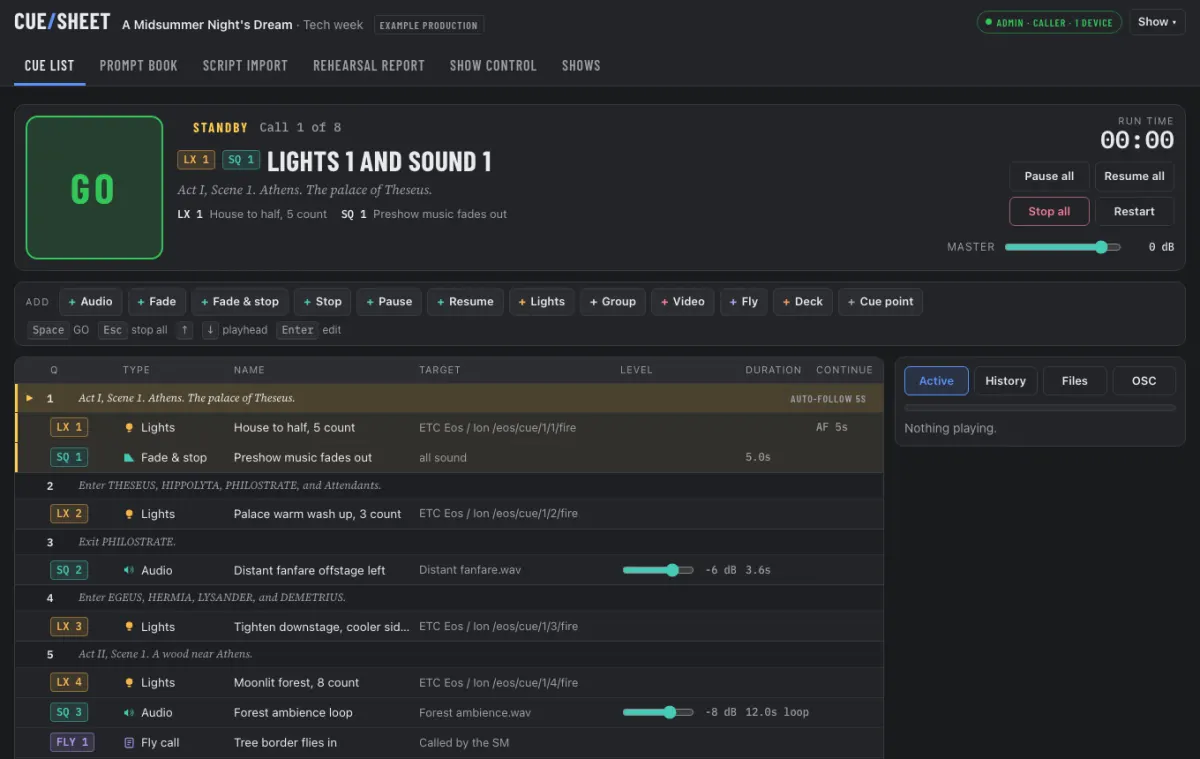
It replaces the paper prompt book, the laptop sound player and the separate light and video triggers with one cue list the stage manager calls from.
Sound cues with a waveform editor
Play, fade, stop, pause and resume. Drag in a file, then set the start, end and fades on the waveform. Set a level for each cue and ride it live during the show.
One GO, several cues
Put thunder, a lightning flash and a fly cue in a group cue. One press of GO fires all three.
Lights and video from the same list
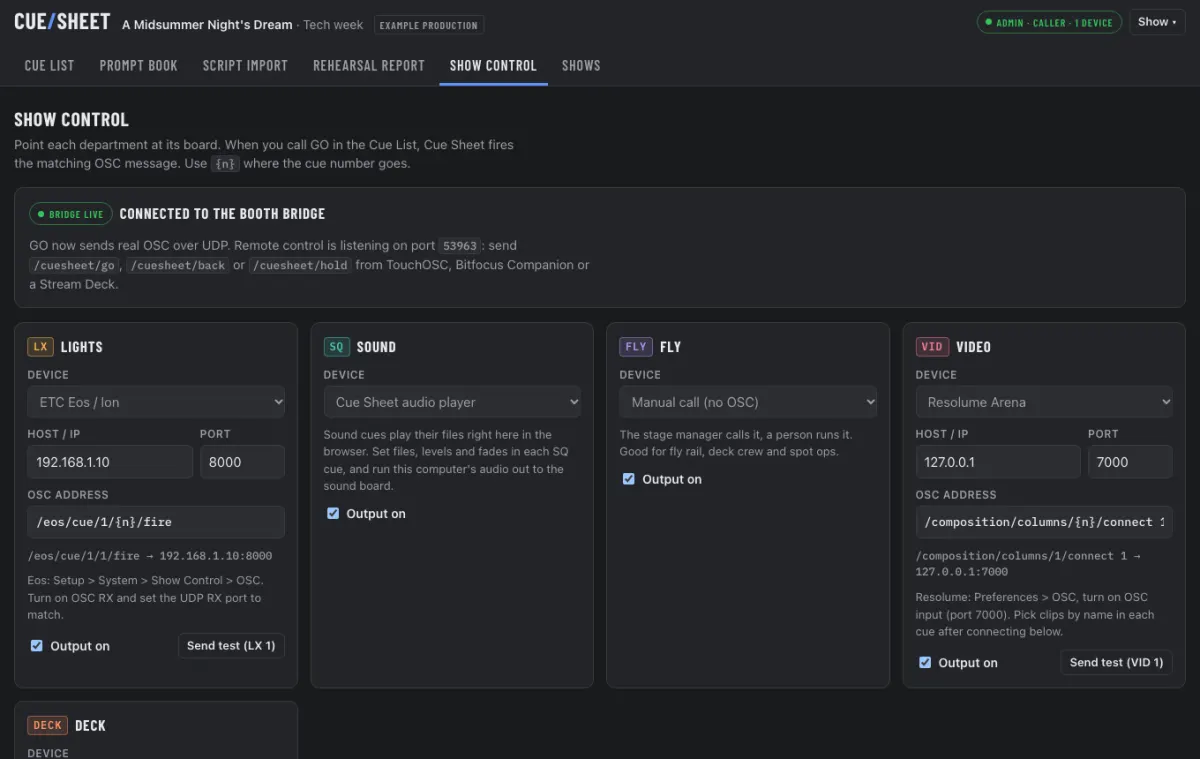
Fire lighting and video cues over OSC, with presets for the common boards. Fly and deck cues sit in the same list for the crew.
A prompt book you can build from paper
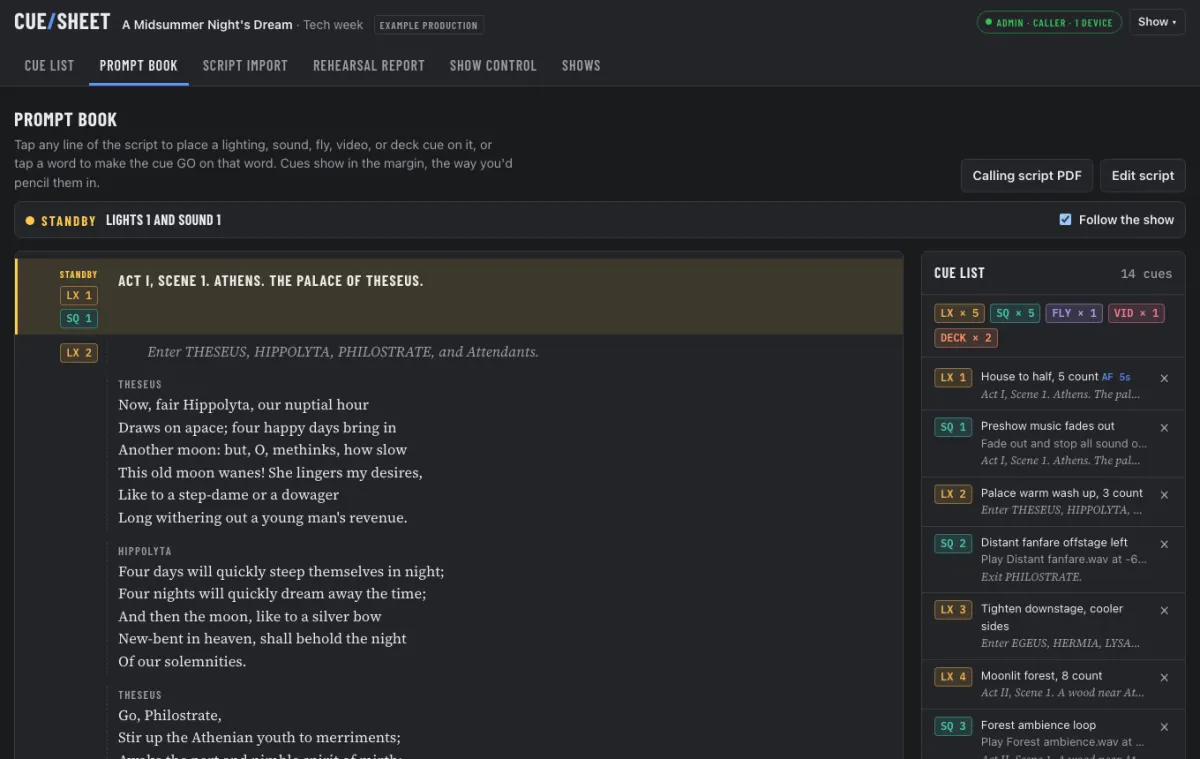
Import the script from a PDF, scanned pages, photos or typed text. Italics become stage directions. Tap a word to put a cue on it, so a cue can fire in the middle of a speech.
The whole team follows along
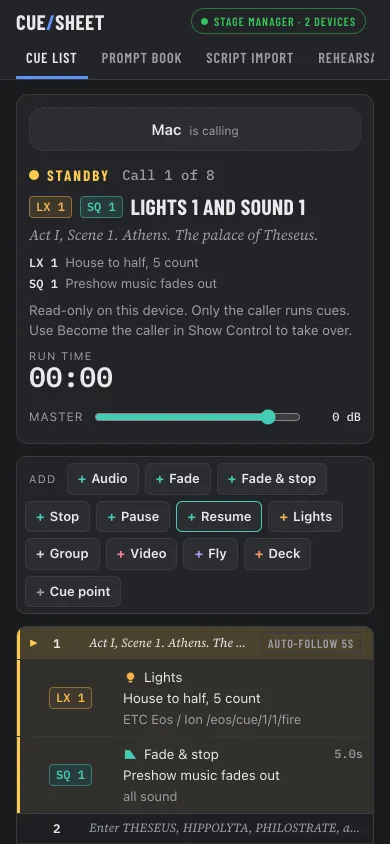
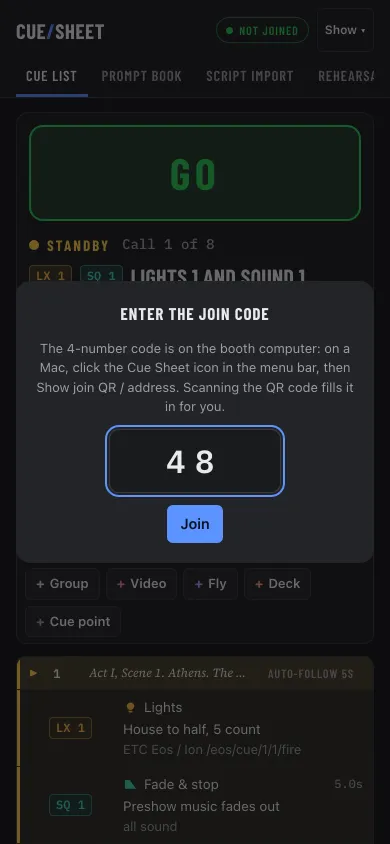
Phones and tablets join over the venue Wi-Fi by scanning a QR code on the booth. The QR code carries a 4-digit join code that changes each time Cue Sheet opens, so only your crew gets in. You set permissions for each device, so a board op can watch while only the stage manager and the booth computer call cues.
How Does It Work in a Booth?
- Build the show. Import the script, add your sound files and place cues on the lines and words where they go.
- Connect the booth. Point each department at its board, and have the crew scan the QR code to join.
- Call the show. Press GO. Sound plays from the Mac, and lights and video fire on their boards.
Rehearsal reports and the calling script export to PDF. A User Guide is built in. Open it from the Cue Sheet menu-bar icon or from Show > User guide.
How Much Does Cue Sheet Cost?
Monthly
$19
per month
- 2 computers (booth and backup)
- Cancel anytime
- Every feature
Yearly
$199
per year
- 2 computers (booth and backup)
- Cancel anytime
- Save $29 a year vs monthly
Every plan starts with a 14-day free trial, no card needed. Subscribers can add a computer for $49 a year. Email info@ethanentermedia.com for the link.
Questions
Is there a free trial?
Yes. Cue Sheet runs free for 14 days with every feature. No card needed. After that it's $19 a month or $199 a year.
Does it work offline?
Yes. Cue Sheet runs on the booth Mac without the internet, including reading scanned scripts. It checks your license when it opens, and once a day while online. It needs to reach the internet at least once every 30 days. After 30 days without a check, a 7-day grace period starts, then editing locks. Activating a license key needs the internet once.
Will my Mac show a warning when I install it?
The first time you open Cue Sheet, macOS asks once to confirm it was downloaded from the internet. Click Open. The app is signed and notarized by Apple.
Is there a Windows version?
Not yet. Cue Sheet is Mac only and needs macOS 13 or newer, on Apple Silicon or Intel.
What happens if my subscription ends?
You get 7 days with everything working. After that, editing, new shows, script import, sound uploads and adding devices lock until you renew. GO, lighting and video cues, sound and devices that already joined keep working, and your shows still open and run. A lock never starts in the middle of a running show. It takes effect the next time Cue Sheet opens.
Do phones and tablets need an app?
No. They join in the browser by scanning the QR code on the booth Mac, on the same Wi-Fi. The QR code carries a 4-digit join code that changes each time Cue Sheet opens, so only your crew gets in.
Where are my shows stored?
On your Mac, in Documents > Cue Sheet. You can back that folder up or carry it to another booth Mac.
Which boards and consoles work?
ETC Eos and Ion, ChamSys MagicQ, QLab, Behringer X32 / Midas M32, Resolume Arena, MadMapper, and any other OSC device with a custom address. The X32 / M32 is a sound console, so its cues recall mixer scenes. Manual cues cover fly rails, spot ops and deck crew.
Who Makes Cue Sheet?
I'm Ethan Fuhrmeister, and I make Cue Sheet at Ethan Entermedia, LLC in Winston-Salem, NC. I've designed or programmed lighting for more than 40 theatre productions, including Newsies, West Side Story and Next to Normal, and I run my own shows with Cue Sheet. See my theatre lighting design work.
Questions or support: info@ethanentermedia.com. Cue Sheet Terms of Use · Cue Sheet Privacy Policy